In today’s digital-first market, a website is much more than an online brochure — it’s a sales channel, a support hub, and a trust builder. With 15 years in IT and web development serving Philippine businesses, I’ve seen what works: mobile-first design, fast performance, clear conversion paths, and practical localisation. Below are up-to-date strategies, action steps, and relevant resources you can use right away. (Relevant service links are included where useful.)
Why a Strategic Website Matters
A website must align with business goals: lead generation, direct sales, or improved customer support. In the Philippines, where mobile use is dominant and connectivity varies across regions, websites must be optimized for small screens, low data budgets, and local payment and logistics behaviours. Hiring a credible Website Developer in the Philippines or choosing Affordable Website Development Services in the Philippines can cut time-to-market while ensuring those local needs are met.
Core Elements of a High-Performing Business Website
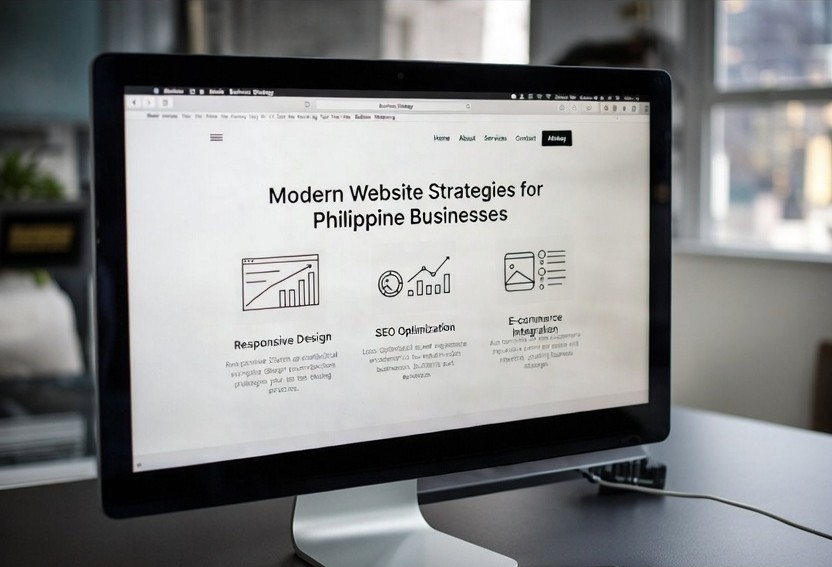
- Mobile-first responsive design: Start with the smallest screen. Use large tap targets, simplified navigation, and adaptive images to reduce data use.
- Performance and Core Web Vitals: Prioritise load time and layout stability. Optimise images (WebP/AVIF), lazy-load offscreen assets, and serve critical CSS inline to improve metrics like Largest Contentful Paint and Cumulative Layout Shift.
- Conversion-focused UX: Keep forms short, place clear CTAs, and show trust indicators like testimonials, business registration details, and secure checkout badges. If you need implementation help, look for Website Development Services that include UX and conversion optimisation.
- Security and compliance: HTTPS everywhere, regular patching, and transparent privacy notices increase trust and reduce business risk.
- Structured data and local SEO: Add LocalBusiness schema, product schema, and FAQ schema to improve visibility in search and help featured snippets.
Latest Trends with Practical Business Impact
- AI-assisted content and design: AI can accelerate drafts for pages and assets, but always localise and vet for cultural accuracy and pricing details.
- Headless CMS and composable stacks: These let you serve the same content across web, mobile apps, and kiosks — useful for scaling product catalogs or multi-channel marketing.
- Edge delivery and regional CDNs: For the Philippines, choose CDNs with Southeast Asian nodes to reduce latency and provide consistent experiences across islands.
- Privacy-first analytics and server-side tracking: Browser restrictions make consented, server-side approaches more reliable for business insights while respecting user privacy.
- Progressive Web Apps (PWAs): PWAs give app-like behaviour and offline resilience — particularly valuable in areas with intermittent connectivity.
Localised Considerations for Philippine Businesses
- Payment and checkout: Integrate local e-wallets and bank transfer options, and clearly present shipping times and fees. This reduces cart abandonment.
- Bilingual content: Offer Tagalog/Filipino and English when relevant; match tone to your audience (more formal for B2B, more conversational for retail).
- Social commerce flow: Ensure product pages are easy to share and support shoppable links for platforms where Filipino customers already browse.
- Data-conscious design: Limit autoplay media, compress images, and offer a lightweight version where appropriate.
SEO Best Practices That Avoid Penalties
- Natural keyword use: Use keywords where they fit naturally in titles, headings, and body copy. Avoid repetitive stuffing; focus on satisfying user intent.
- E-E-A-T and trust signals: Publish author bios, case studies, and verifiable client results. These build credibility and help rankings.
- High-quality, local content: Create helpful pages such as product comparisons, shipping FAQs, and local guides. Use FAQ Schema for direct answers in search results.
- Ongoing technical audits: Keep sitemaps, robots.txt, and canonical tags maintained to prevent indexing issues.
Actionable 90-Day Checklist
- Run a mobile and speed audit (Google PageSpeed/Lighthouse). Prioritise fixes for FCP and CLS.
- Confirm checkout supports local payment options and clearly lists shipping/return policies.
- Add Schema for local business, products, and FAQs.
- Produce 3 months of localised content (how-tos, case studies, product guides).
- Set up a security and backup routine (automated backups, SSL renewals, patching).
Where to Learn More or Get Help
- If you’re evaluating vendors, search for a Website developer in the Philippines with proven case studies and transparent pricing.
- For end-to-end projects, consider Affordable Website Development Services in the Philippines that bundle design, development, and a 90-day optimisation plan.
- If you need ongoing upkeep, look into Website Maintenance Services in the Philippines or Website Management packages that include security, updates, and analytics monitoring.
Relevant service pages
- Website Development Services — hire an experienced Website Developer in the Philippines or explore Affordable Website Development Services in the Philippines for budget-conscious builds: https://alejohnramirez.com/website-development-services-website-developer-in-the-philippines/
- Ongoing site care — consider Website Maintenance Services in the Philippines or Affordable Website Management in the Philippines for maintenance and support: https://alejohnramirez.com/website-management-maintenance-services-philippines/
Conclusion
Modern website success for Philippine businesses is practical, local, and measurable. Prioritise speed, mobile-first UX, local payment flows, and clear trust signals. Adopt new technologies like PWAs and privacy-forward analytics where they drive business results, not just because they’re trendy. If you want, I can create a tailored 90-day roadmap for your site (speed, checkout, content) or audit your current website and highlight the highest-impact fixes.